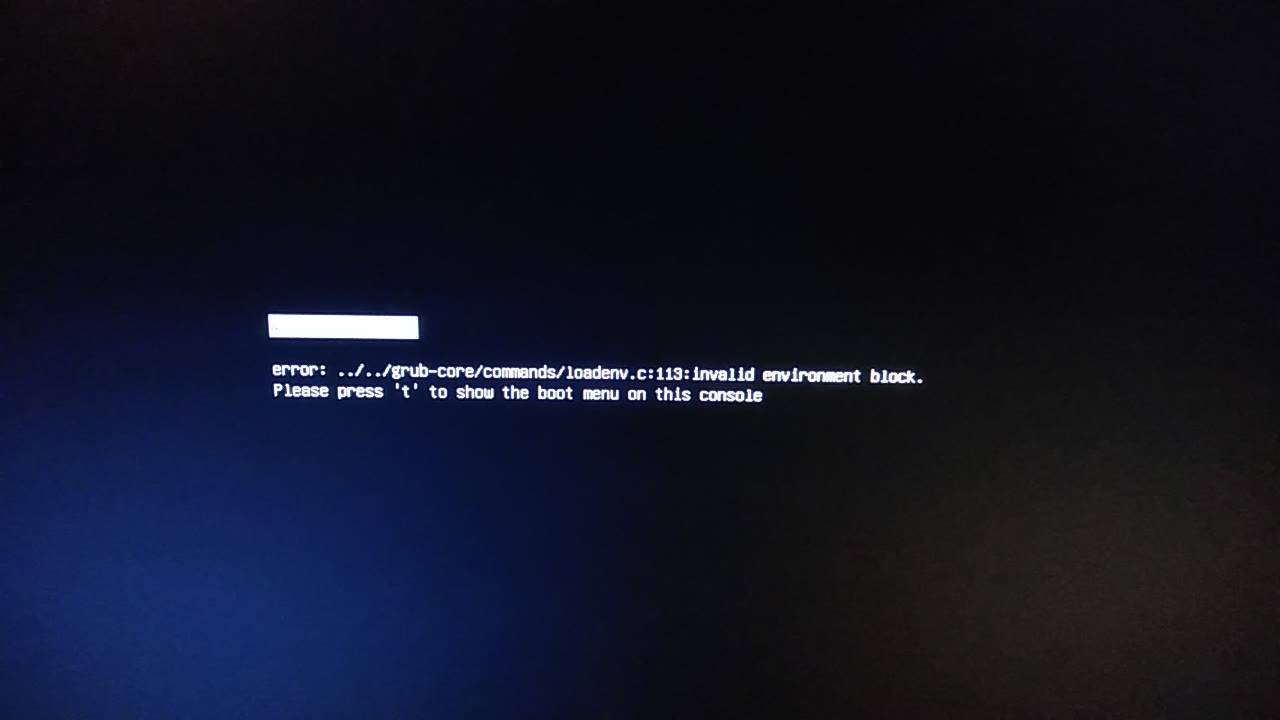
The issue is I really don't know how get rid of this error ^^
GRUB2 is running ok... I can do my dual boot without any problem but this error makes me mad because it disturbs me as "invalid environment block" is quite blurry...
No clues with googlin'...
As I do an automatic gribfix each day at 10pm... the grub2 is always generated from the default template so this is not a bad config from me.
The "invalid environment block" error in GRUB 2 typically indicates that there is a problem with the configuration files used by GRUB. This error message can be caused by a variety of issues, including corrupted files, incorrect syntax in the configuration files, or changes to the disk partition layout.
1-Check the GRUB configuration file: The GRUB configuration file is usually located at "/boot/grub/grub.cfg". You can use a text editor to open this file and check for syntax errors. If you find any errors, you can try correcting them and see if that resolves the issue.
2-Reinstall GRUB: If the configuration file appears to be correct, you may need to reinstall GRUB. Boot from a live CD or USB drive and run the following commands,
(a)Mount the partition that contains your operating system:
sudo mount /dev/sda1 /mnt
(b)Mount the necessary virtual file systems:
sudo mount --bind /dev /mnt/dev
sudo mount --bind /sys /mnt/sys
sudo mount --bind /proc /mnt/proc
(c) Chroot into your installed operating system:
sudo chroot /mnt
Then
grub-install /dev/sda
update-grub
Then
exit
sudo reboot
Hopefully, these steps will help you resolve the error in GRUB 2.