Hello,
I am using Red Hat 2.6.23.1 with RAID 6 controller (card).
(When I use "cat /proc/partitions" I do not see the separate HDDs in the RAID, I see one drive for the RAID itself, as it is considered 1 large drive.)
I used a "dd" check to test my RAID drive speed and found it was a bit slow, so I want to figure out which HDD in the RAID is problematic.
I was wondering I there was a way within Red Hat to test the HDDs separately without destroying the RAID build.
Otherwise is there a 3rd party tool that can help me?
Thanks in advance for any help possible.
P.S.
This is my first post so I don't know exactly what information is needed, please tell me if you need more information in order to help me (and as I am new to Red Hat I would also appreciate explanations on how to get it).
First of thanks for the fast replies!
I should probably clarify what I am doing an how I know I have a problem:
I take different machines with the same configuration, same type RAID card connecting 8 HDDs of the same type. The machines are supposedly identical. I run a "dd" command and I have a standard benchmark that I know I am supposed to hit. If any particular is slower then the benchmark I need to find the problem, and my first thought is that one of the HDDs has a problem (i.e. bad sectors). The problem is that currently I have no way to test each HDD individually (what I end up doing right now is taking out each HDD by its own, connecting it to another PC with Ubuntu and running "SMART Disk Test" on it), then connecting them all back to the machine with RAID and logically reconstruct the RAID again).
I was wondering if there was a way within Red Hat to do something similar to the Ubuntu "SMART Disk Check" that preferably can also do it without disassembling the RAID logically.
I am using RAID 6 on 8 HDDs.
When using "lspci -v" command I get for my RAID controller card:
RAID bus controller: Adaptec AAC-RAID (rev 09)
Subsystem: Adaptec Unknown device 02b6
Flags: bus master, fast devsel, latency 0, IRQ 23
Memory at f7800000 (64-bit, non-prefetchable)
Expansion ROM at f7780000 [disabled]
Capabilities: [98] Power Management version 2
Capabilities: [a0] Message Signalled Interrupts: Mask- 64bit+ Queue=0/1 Enable-
Capabilities: [d0] Express Endpoint, MSI 00
Capabilities: [90] Vital Product Data <?>
Capabilities: [100] Advanced Error Reporting <?>
Kernel driver in use: aacraid
Kernel modules: aacraid
anchele I am not sure what you mean by how the RAID is configured, if there is anything else you need me to tell you I would be glad to, but as I am new to this I might need some explanations on how to acquire the information.
If you have identical machines with different RAID I/O performance the first thing to do is compare the RAID controller parameter settings. Yes, it could be a rogue hard drive but it's more likely to be the configuration.
Adaptec RAID controllers have all kinds of parameters which can be configured using the BIOS setup or other Adaptec provided tools. I suggest that you compare, parameter by parameter, the settings of poor performing RAID controller with a good performing RAID controller.
In particular, I would be looking at the cache setup. (Use Google to read about cache (i) write-through, (ii) write-around, and (iii) write-back. That setting will most definitely greatly affect performance.)
Also, Google for "Adaptec RAID cache" to read what they say about setting the cache; the pro's and the con's.
Also, of course, search THIS FORUM for threads about this subject as you will learn personal opinions and benefit from tons of experience available on here.
Repeat, if possible, compare all the settings on the Adaptec cards one by one.
Hope that helps. Let us all know how you get on with this.
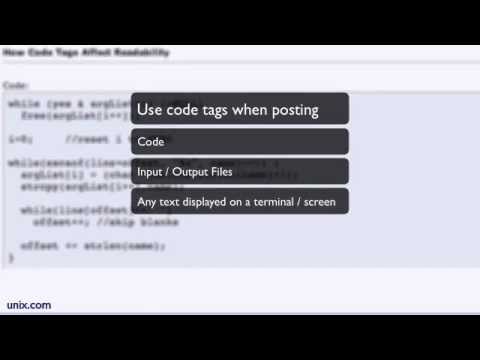
To keep the forums high quality for all users, please take the time to format your posts correctly.
First of all, use Code Tags when you post any code or data samples so others can easily read your code. You can easily do this by highlighting your code and then clicking on the # in the editing menu. (You can also type code tags
```text
 and
```
by hand.)
Second, avoid adding color or different fonts and font size to your posts. Selective use of color to highlight a single word or phrase can be useful at times, but using color, in general, makes the forums harder to read, especially bright colors like red.
Third, be careful when you cut-and-paste, edit any odd characters and make sure all links are working property.
On Debian there is a tool called arcconf to manage and monitor aacraid cards. Worth checking out to see if it is available for your version of Red Hat.
Thanks everyone for all the help, I ended up using Ultimate Boot CD which has smartmontools 6.4 and GSmartControl on it. It is able to run SMART tests on each HDD individually (It took me a while to realize that the seperate HDDs are /dev/sg# and not /dev/sd#). I didn't have any luck though as they were all OK.
I have aarconf on RedHat but other than using:
/usr/StorMan/arcconf getconfig 1
To see that all my HDDs are present and presumably working well I didn't find any way to test that the RAID controller itself is working properly.
Do you know of any such tests?