Extracting data between continuous non empty xml tags

Hi,

I need help in extracting only the phone numbers between the continuous non empty xml tags in unix. I searched through a lot of forum but i did not get exact result for my query. Please help

Given below is the sample pipe delimited file. I have a lot of tags before and after ...<phone>...</phone>... tags

Sample file:

|<phone>|<number>1234567890</number>|<type>primary</type>|</phone>|

|<phone>|<number>2345678999</number>|<type >primary</type>|</phone>|

|<phone>|<number>3214325432</number>|<type>primary</type>|</phone>|

|<phone>|<number>9876543210</number>|<type>primary</type>|</phone>|

|<phone>|<number>4567896789</number>|<type>primary</type>|</phone>|

Expected Output:

1234567890
2345678999
3214325432
9876543210
4567896789
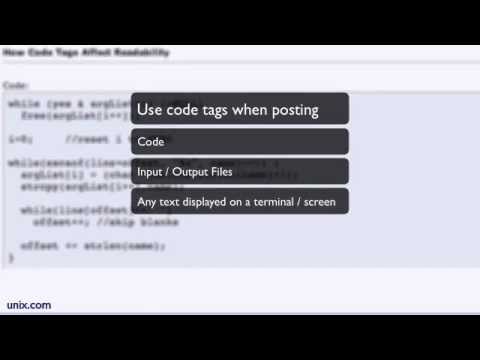
To keep the forums high quality for all users, please take the time to format your posts correctly.

First of all, use Code Tags when you post any code or data samples so others can easily read your code. You can easily do this by highlighting your code and then clicking on the # in the editing menu. (You can also type code tags

```text
 and 
```

by hand.)

Second, avoid adding color or different fonts and font size to your posts. Selective use of color to highlight a single word or phrase can be useful at times, but using color, in general, makes the forums harder to read, especially bright colors like red.

Third, be careful when you cut-and-paste, edit any odd characters and make sure all links are working property.

Thank You.

The UNIX and Linux Forums

I tried these commands, it worked!
1st command
sed -n '/phone/{s/.*<phone>\(.*\)<\/phone>.*/\1/;p}' file1 > file2

I got below output:
|<number>0000000000</number>|<type>primary</type>|

2nd command
awk -F '[<>]' '{n = split($3,array," "); print array[n] >> "file3" }' file2

I got the expected output:
1234567890
2345678999
3214325432
9876543210
4567896789

If we take your two commands (modified to create file3 instead of append to it):

sed -n '/phone/{s/.*<phone>\(.*\)<\/phone>.*/\1/;p;}' file1 > file2  
awk -F '[<>]' '{n = split($3,array," "); print array[n] > "file3" }' file2

you get what you want in file3 . If you change the 2nd command to:

awk -F '[<>]' '{print $3}' file2 > file4

you get the same output in file4 . And, if you change the 1st command to:

sed -n '/phone/{s/.*<number>\(.*\)<\/number>.*/\1/;p;}' file1 > file5

you get the same output in file5 with one command instead of two. And, if you prefer to use awk instead of sed , with your sample input, the following:

awk -F '[<>]' '/phone/{print $5}' file1 > file6

produces the same output in file6 . But, if there could be other tags between the phone tags, the following would be safer:

awk -F '<number>|</number>' '/phone/{print $2}' file1 > file7

still producing the same output in file7 .

Of course, the 1st two of the above work only if the number tags are on the same line as the starting and closing phone tags; the others work as long as the starting and closing number tags are on the same line as a starting or closing phone tag.

None of the above work if the starting and closing number tags are not on the same line. And, none of the above will find all of the numbers you want if there is more than one set of number tags on a single line.

Thank you Don Cragon for your code but unfortunately it doesn't worked.. My file is a huge file and it has same fields repeating over and over with different tag headings as shown below.

<store><number>1234</number></store>
<phone><number>1234567890</number><type>primary</type></phone>
<address><street>abc</street><appt><number>11</number></address>

I tried your command

1st command

sed -n '/phone/{s/.*<number>\(.*\)<\/number>.*/\1/;p;}' file1 > file5

Command is searching for the first occurrence of number tag instead of searching number tag after phone tag

2nd command also searching for the first occurrence of number tag instead of searching number tag after phone tag.

awk -F '<number>|</number>' '/phone/{print $2}' file1 > file7

I got the output from both commands as 1234 instead of 1234567890

With the three lines of sample input shown above in file1 , both the sed command and the awk command shown above will only write:

1234567890

into files file5 and file7 , respectively, not:

1234
1234567890
11

Neither script explicitly checks that <number>string</number> appears after <phone> , but they both only look for number tags on lines that contain the string phone .

Please reread the last two paragraphs I wrote in post #4 in this thread. They clearly state the limitations of the scripts presented above (and the other suggested scripts in that post).

If these results don't match what you get on your system with the above data, please show us the exact output you are getting and tell us what operating system and shell you are using.

If the code does work for this example, but fails for some other data, show us an example of the exact input lines that are producing the wrong output and shows the exact output produced, AND clearly describe the exact arrangement of tags on lines in the files you are trying to process. Everything you have shown us says that lines that you want to process have <phone> as the first tag on a line, the string you want to retrieve between <number> and </number> tags, and the last tag on the line is </phone> . And, all of the suggestions that have been provided assume this is an accurate description of the lines that need to be processed.

Got Perl?

$ perl -nle '/phone.+number>(\d+)<\/number/ and print $1' zen01234.file
1234567890
2345678999
3214325432
9876543210
4567896789
1234567890
$ cat zen01234.file
|<phone>|<number>1234567890</number>|<type>primary</type>|</phone>|
|<phone>|<number>2345678999</number>|<type >primary</type>|</phone>|

|<phone>|<number>3214325432</number>|<type>primary</type>|</phone>|

|<phone>|<number>9876543210</number>|<type>primary</type>|</phone>|

|<phone>|<number>4567896789</number>|<type>primary</type>|</phone>|
<store><number>1234</number></store>
<phone><number>1234567890</number><type>primary</type></phone>
<address><street>abc</street><appt><number>11</number></address>